
3D Live Wallpapers 4D video 4K
Nebuchadnezzar DOOPersonalization
4.52.39K Reviews
- Version
- 1.24.01
- Installs
- 10.00M
- Age Rating
- Everyone
Screenshots
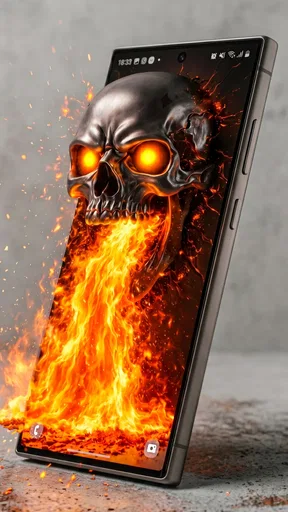

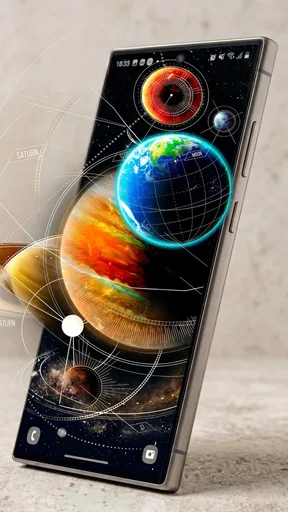
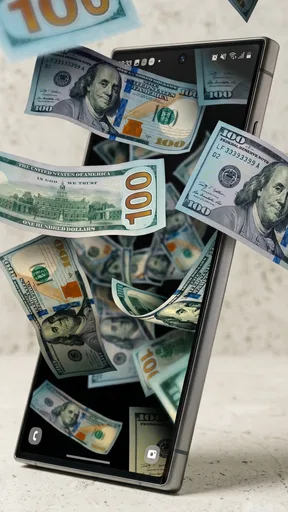
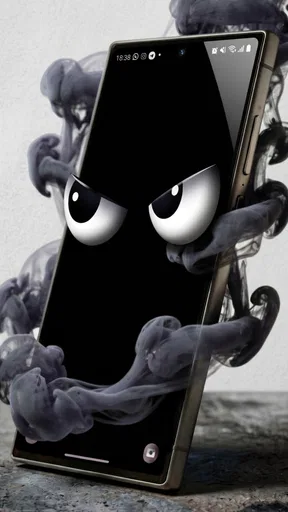
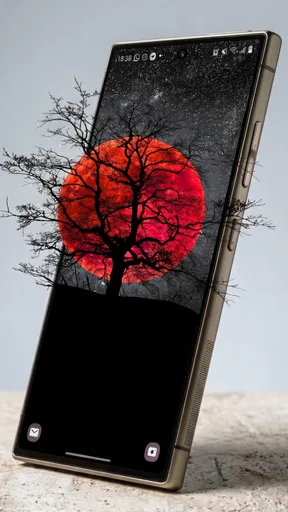
Our Review of 3D Live Wallpapers 4D video 4K
 Analysis by Appyee
I usually judge a wallpaper app by a simple question: does it make my phone feel more personal without turning everyday use into a nuisance? 3D Live Wallpapers 4D video 4K takes a very visual approach to that problem. It is a free personalization app from Nebuchadnezzar DOO, built around animated, three-dimensional backgrounds and themes rather than a basic collection of still images.
After spending time with it, I see the appeal immediately. A moving background can change the mood of a device far more noticeably than another static photograph, especially when the animation has depth and reacts naturally to motion. At the same time, this kind of app is not automatically the best choice for everyone. The right decision depends on how much you value visual impact, how often you change your setup, and whether you prefer a quiet background that disappears behind your icons.
What I considered before recommending it
My first decision criterion was variety with a practical purpose. A wallpaper app can have attractive previews and still be frustrating if finding a suitable design takes too long. Here, the focus is clearly on 3D, live, moving, 4K, and HD styles. That gives the library a more dramatic identity than a conventional wallpaper gallery, but it also means the experience is aimed at people who actively want motion and depth.
The second criterion was how well a background works during ordinary phone use. A wallpaper should look good not only on a preview screen, but also behind app icons, widgets, notification text, and lock-screen elements. Very bright or busy scenes can become tiring when they compete with the interface. I found that darker, slower-looking designs are generally easier to live with, while highly animated scenes are better when I want the phone to feel expressive rather than discreet.
I also paid attention to the difference between a wallpaper that looks impressive for a few minutes and one I would keep for several days. A strong visual effect can lose its novelty quickly. That is not a flaw unique to this app; it is a common trade-off with live backgrounds. The useful question is whether the collection gives me enough moods to switch intelligently instead of simply applying the first eye-catching option.
Another practical point is the device experience. The app is listed for users aged Everyone and supports Android starting with version 7.1. That makes it accessible to a broad range of Android phones, although compatibility with the operating system does not guarantee that every animation will feel equally smooth on every device. I would be more careful with older or entry-level hardware, especially if the phone already struggles with demanding visual effects.
The app has reached over ten million installs and holds a 4.5 average from around four hundred forty-nine thousand ratings, with roughly two thousand four hundred written reviews. Those figures suggest that the concept has found a substantial audience, but they do not replace personal testing. Live wallpaper performance can vary greatly depending on screen resolution, system settings, and how much other work the phone is doing in the background.
How the wallpaper styles feel in daily use
What stands out most is the sense of depth. A flat image simply sits behind the interface, while a 3D-style scene can make the screen feel layered. That effect is particularly noticeable when I tilt the phone or unlock it repeatedly during the day. It gives a small moment of visual feedback without requiring me to open a separate app.
The moving format also works well for people who use their phone as a personal object rather than just a tool. I can choose something energetic for a gaming-focused setup, something atmospheric for evening use, or a calmer scene when I want the icons to remain easy to read. This is more useful than it may sound: changing the background can create a clear distinction between a work-oriented setup and a leisure-oriented one.
For a realistic everyday scenario, imagine checking a phone during a commute. A static landscape may look fine, but a subtle live scene can make repeated unlocks feel less monotonous. Later, at home, a more colorful theme can match the rest of the device. I would not call this an essential productivity feature, but it is a pleasant form of personalization for someone who looks at the same screen dozens of times a day.
Where this app wins over ordinary wallpaper galleries
Its biggest advantage is immediacy. With a standard photo gallery, I have to search for an image, crop it correctly, and accept that it may look awkward behind the interface. This app is designed around the wallpaper experience itself, so the visual idea is usually clearer from the beginning. I am choosing an atmosphere and an effect, not merely a picture.
It also wins when I want a phone that feels visibly different from the default setup. A still image can personalize the lock screen, but motion adds a stronger identity. The 4K and HD emphasis is useful for people who care about crisp presentation on a high-resolution display, although the final impression still depends on the phone’s own screen and how the chosen scene is rendered.
Another strength is its suitability for quick experimentation. I can try a dramatic design, decide that it is too distracting, and move to something calmer without rebuilding my entire home screen. That makes the app more flexible than downloading individual image files one by one. I especially appreciate this approach when I am testing a new icon arrangement and want the background to support it rather than dictate the whole look.
The developer, Nebuchadnezzar DOO, has kept the product focused on personalization instead of mixing in unrelated tools. That focus matters because I am not looking for a photo editor, launcher, or social platform when I open it. I want to browse visual backgrounds and decide whether one belongs on my phone. The narrower purpose makes the app easier to understand.
Small techniques that improve the result
My first tip is to judge a wallpaper with the actual home screen visible, not only from its preview. A scene that looks excellent by itself may hide icon labels or make widgets harder to scan. I usually test it with the icons I use most, then keep it only if the screen remains readable at a glance.
My second tip is to treat motion as a design element rather than a requirement. The most memorable option is not necessarily the most comfortable one. I prefer a background with a clear focal point and restrained movement when I expect to use the phone frequently. A highly active scene works better as a temporary change, perhaps for a weekend or a special event.
A third useful workflow is to match the background to the role of the device. On a personal phone, I may prioritize color and atmosphere. On a phone used for study or work, I would choose a darker or less crowded design so that calendars, notes, and communication apps remain visually dominant. This simple separation helps prevent the wallpaper from becoming another source of clutter.
I would also compare the effect at different brightness levels. A background that feels balanced in a bright room may look too intense at night. If I know I often use my phone in bed or in dim surroundings, I would favor a subdued design and avoid treating the most vivid preview as the automatic winner.
Where another kind of wallpaper may fit better
Despite its strengths, this is not the universal answer for personalization. If I mainly want family photos, travel pictures, artwork, or minimalist colors, a regular static wallpaper app may be a better fit. Static images are easier to control, tend to stay visually quiet, and let me choose the exact crop and composition. They also suit people who want the background to disappear behind their apps.
A launcher with built-in themes may be preferable when the goal is a complete interface makeover. A live wallpaper changes the background, but it does not automatically create a matching icon pack, widget layout, or navigation style. Someone looking for one coordinated package may prefer a launcher-centered solution, while someone who already likes the current launcher can use this app without changing the rest of the phone’s identity.
There is also a case for using a personal video or a carefully edited image instead. A custom file may carry more emotional meaning than a ready-made theme. The trade-off is convenience: creating and preparing personal media takes effort, while this app is built for browsing a collection and applying a visual style quickly.
People who are especially sensitive to battery use, heat, or background activity should think carefully before committing to animated wallpaper. I would not assume that every design has the same impact, because the complexity of a scene and the device itself both matter. If battery endurance is more important than visual movement, a static alternative is the safer decision.
The same applies to distraction. A moving background can be enjoyable, but it can also pull attention toward the screen when I should be concentrating elsewhere. For a work phone, a simple still background may be more appropriate. This app makes sense when personalization is part of the experience, not when the phone needs to remain visually neutral.
What the free model means in practice
The app is free to download, which makes trying it a low-commitment decision. There are in-app purchases ranging from ninety-nine cents to three dollars and ninety-nine cents per item. I would begin with the free experience and decide only after seeing whether the available style matches my taste. Paying for a visual item makes sense only if I expect to keep using it, rather than because the preview happens to look exciting for a moment.
This pricing structure also changes how I would approach switching from another wallpaper source. If I already have a large personal collection of static images, moving everything over is not necessary. I can keep those images and use this app selectively when I want motion. In that sense, the cost of switching is more about changing habits and choosing a new visual style than replacing every part of my current setup.
Before applying a design, I would consider how often I really change wallpapers. Someone who keeps one background for months may get more satisfaction from a carefully chosen personal image. Someone who enjoys refreshing the phone regularly will probably get more value from a dedicated live collection. The app’s strongest audience is not simply “people who like wallpapers,” but people who enjoy the process of changing the atmosphere of their device.
Questions I would ask before installing
Will it work on an older Android phone? The listed minimum is Android 7.1, so many older devices can install it. Still, I would keep expectations realistic: installation support is not the same as identical performance. On less powerful hardware, I would test a simpler-looking background first and watch for any change in smoothness or comfort.
Is it suitable for a phone used for work? Yes, but only with careful selection. I would avoid busy scenes behind calendars, mail, and document shortcuts. A darker, calmer design can add personality without making the home screen harder to read. If the phone is used mainly for concentration, a static alternative may remain the better choice.
Do I need to replace my launcher? No change to the rest of the interface is necessary for the basic appeal of a live wallpaper. That is one reason I find the app approachable: I can experiment with the background while keeping the icons and layout I already understand.
Are the paid items necessary? No. The app is free to start, and I would treat purchases as optional additions for someone who finds a particular design worth keeping. The sensible approach is to browse first, test readability and comfort, and spend only when the result improves the phone in a lasting way.
Is 4K automatically better? Not always. A high-resolution source can look sharp, but the phone’s display, the animation style, and the distance from which I view the screen matter just as much. I would choose the scene that remains attractive behind the interface rather than selecting a label alone.
My recommendation after using it
I recommend 3D Live Wallpapers 4D video 4K to Android users who want their phone to feel more dynamic and who enjoy changing its visual mood. The combination of three-dimensional presentation, movement, and high-definition styles gives it a clearer personality than a basic static wallpaper collection. Its free entry point makes experimentation easy, and the broad adoption reflected in its ratings and installs shows that this format is not a niche curiosity.
I would skip it if I want a completely quiet interface, depend heavily on a personal photo collection, or consider battery efficiency more important than animation. I would also avoid choosing the most elaborate design simply because it looks impressive in a preview. The best result comes from matching the background to the way I actually use the phone.
For me, the decision is straightforward: this is a good add-on for visual personalization, not a replacement for every other wallpaper option. I would install it, try a restrained 3D scene first, and keep it if the motion adds character without reducing readability. With the current version, 1.24.01, and support for Android 7.1 and later, it is an accessible choice for anyone ready to trade a little visual calm for a more distinctive screen.
Verdict
Strengths of 3D Live Wallpapers 4D video 4K
- Large collection of colorful 3D, 4D, and 4K animated wallpapers.
- Motion effects create a more dynamic and immersive home screen.
- Preview wallpapers before applying them to your device.
- Supports separate wallpapers for the home and lock screens.
- Regular content updates add fresh designs and themes.
Limitations of 3D Live Wallpapers 4D video 4K
- Animated wallpapers can noticeably increase battery consumption.,4K videos may use considerable storage and mobile data.
- Some effects may cause lag on older or budget smartphones.
- Many premium wallpapers require in-app purchases or subscriptions.
- Ads can interrupt browsing and make navigation less convenient.
Other Releases by Nebuchadnezzar DOO
View All
Wallpaper 4K HD – Wallcraft
Personalization4.6
Similar Picks in This Category
View All
Microsoft SwiftKey AI Keyboard
SwiftKey4.3

Wallpapers
Google LLC4.1

Zedge™ Wallpapers & Ringtones
Zedge4.7

Yandex Browser with Alice AI
Direct Cursus Computer Systems Trading LLC4.3

Ringtone Maker:create ringtone
Big Bang Inc.4.7

Fonts Keyboard
Fonts Keyboard3.9
Frequently Asked Questions
What is 3D Live Wallpapers 4D video 4K?
3D Live Wallpapers 4D video 4K is a wallpaper app designed to give your Android or iOS device a more dynamic home or lock screen. It offers animated backgrounds with three-dimensional effects, motion-based visuals, and high-resolution video-style scenes. Depending on your device and operating system, some features may be presented as live wallpapers, animated backgrounds, or video wallpaper previews.
Does 3D Live Wallpapers 4D video 4K work on every phone or tablet?
Compatibility depends on your device model, operating system, screen resolution, and system support for animated wallpapers. Newer phones generally handle the visual effects more smoothly, while older or entry-level devices may show reduced performance, longer loading times, or limited wallpaper functionality. Before downloading, check the app-store requirements and confirm whether your device supports live or video wallpapers.
Will using these 4K live wallpapers drain the battery?
Animated and 4K wallpapers usually consume more battery than a standard static image because they may use additional processor, graphics, and display resources. The impact varies according to animation length, brightness, screen technology, and how often the wallpaper is active. If battery life is important, choose simpler scenes, disable motion effects when possible, and monitor usage after applying a wallpaper.
Is 3D Live Wallpapers 4D video 4K free to download and use?
The application may be available to download at no initial cost, but particular wallpapers, collections, or customization tools can depend on the app’s current pricing model. Some versions may include advertisements, optional purchases, or premium content. Review the store listing carefully before installing, especially the subscription details and in-app purchase information, so you know which features are included for free.
How do I apply a wallpaper, and can I use it on the lock screen?
After selecting a scene, the app normally provides an option to preview and apply it as your background. The exact process differs between Android and iOS, since each platform has different restrictions for live, video, and lock-screen wallpapers. Some devices allow animated lock-screen backgrounds, while others support them only through specific system features or require saving the design before applying it.
